1. Log in to your TG SmartAgent Portal using your account credentials.
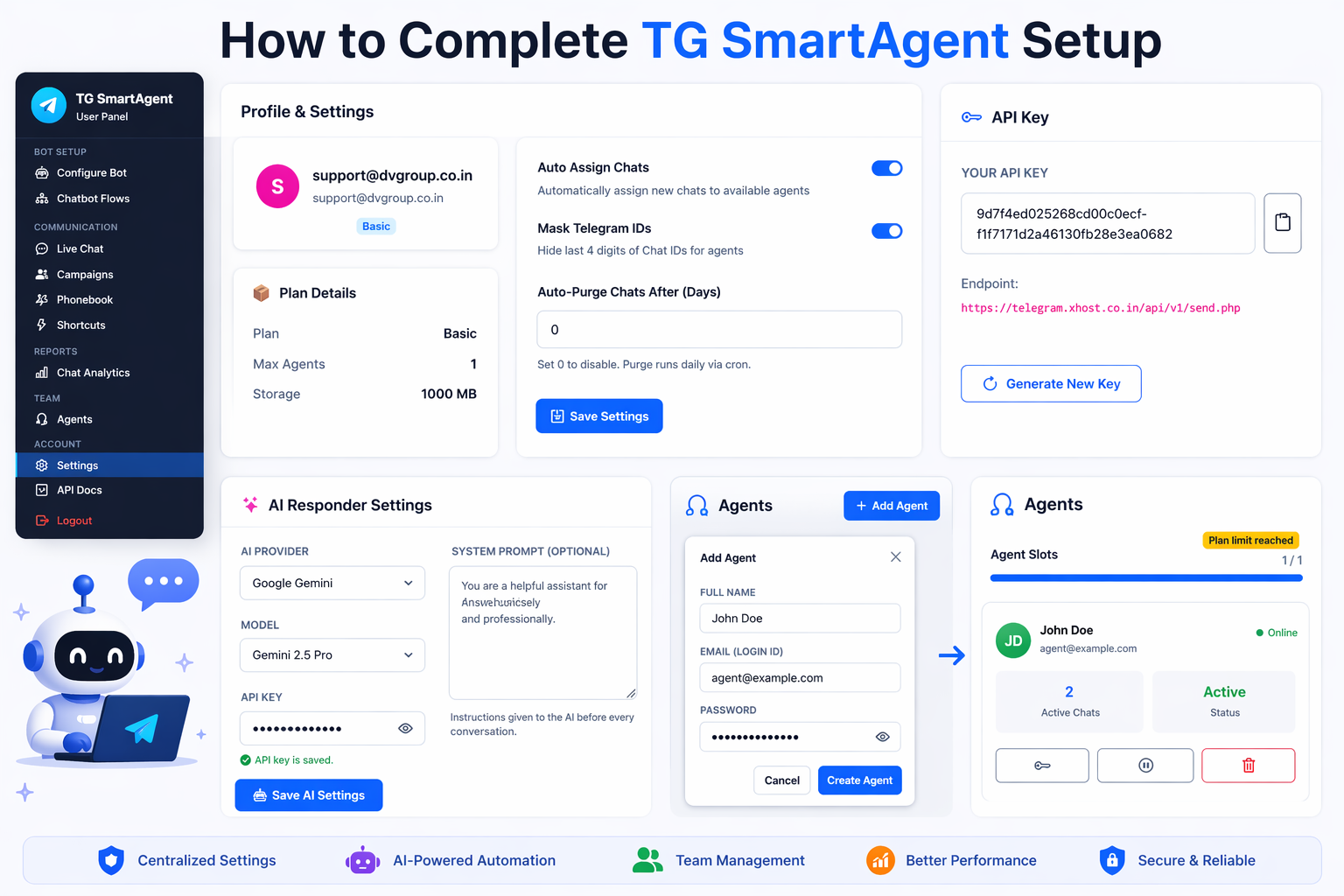
2. From the left menu, click on Settings.
3. Inside Settings, you can manage important options:
a. Auto Assign Chats – Automatically assign new chats to available online agents.
b. Mask Telegram IDs – Hide the last 4 digits of customer Chat IDs from agents.
c. Auto Purge Chats – Delete old chats automatically after selected days.
After updating options, click Save Settings.
4. In the API Key section:
a. View your current API key
b. Copy the API endpoint
c. Click Generate New Key if required
This API can be used for custom integrations and automation.
5. In AI Responder Settings, connect your own AI key.
Supported Providers:
- Google Gemini
- OpenAI ChatGPT
Fill details:
a. AI Provider – Select provider
b. Model – Choose AI model
c. API Key – Enter your key
d. System Prompt – Add chatbot instructions
e. Click Save AI Settings
When an AI node is used in chatbot flow, the bot will reply automatically until an agent is assigned.
6. Create Agents: From the left menu, click on Agents.
Click + Add Agent and fill:
a. Full Name
b. Email (Login ID)
c. Password
Then click Create Agent.
7. After creating agents, you can view:
- Active chats
- Agent status
- Pause agent
- Delete agent
Important Note: Complete all settings first to run live chat, chatbot flows, AI automation, and team support smoothly.