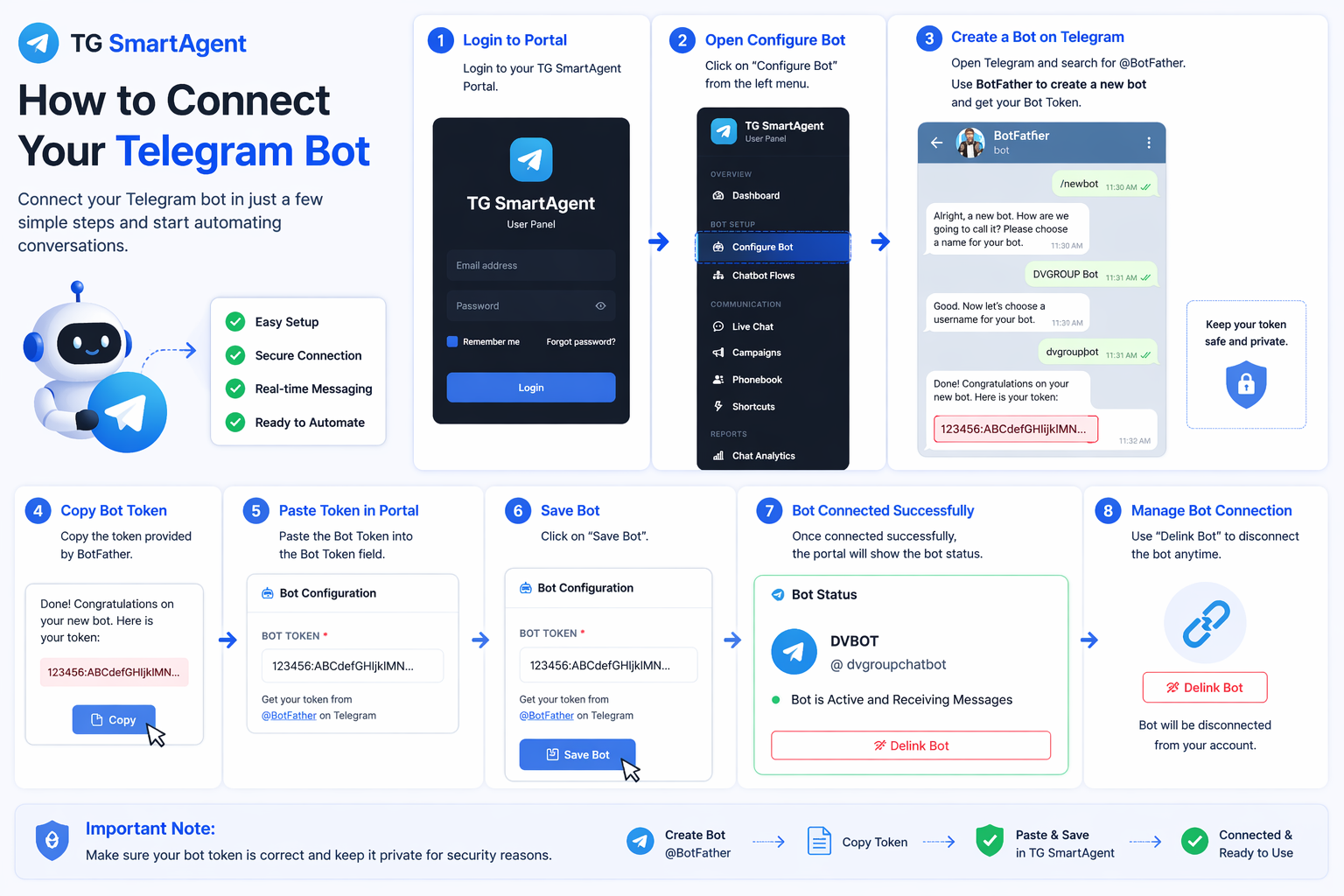
2. From the left menu, click on Configure Bot.
3. Open Telegram and search for @BotFather. Use BotFather to create a new bot and get your Bot Token.
4. After bot creation, copy the token provided by BotFather.
Example: 123456:ABCdefGHIjklMN...
5. Paste the Bot Token into the Bot Token field inside TG SmartAgent.
6. Click on Save Bot.
7. Once connected successfully, the portal will show:
- Bot Name
- Telegram Username
- Bot is Active and Receiving Messages

8. If needed, you can use the Delink Bot option to disconnect the bot anytime.
Important Note: Make sure your bot token is correct and keep it private for security reasons.