WhatsApp marketing has become one of the most effective ways to connect with customers instantly. With the Official Meta WhatsApp API, businesses can send promotional offers, reminders, renewal notices, service alerts, and customer updates in a secure and compliant way.
At WA SmartAgent, we make it simple to launch campaigns through an easy-to-use dashboard — no technical setup required.
Step-by-Step Guide to Send a WhatsApp Campaign
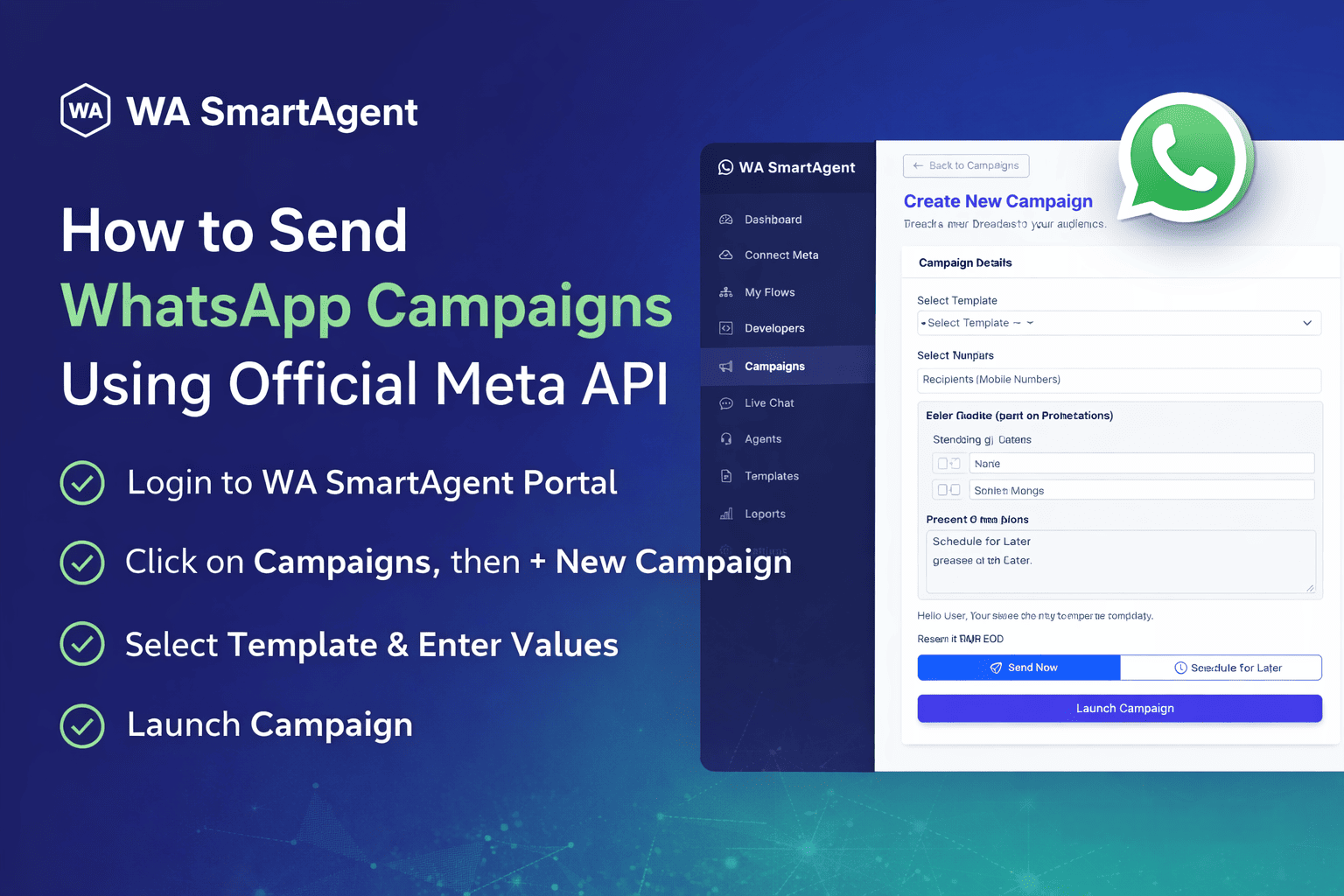
1. Login to your WA SmartAgent Portal using the login details available in your client area.2. From the left sidebar menu, click on Campaigns.
3. Click the New Campaign button at the top right side.
4. Enter Campaign Details. Fill in the following details:
a. Campaign Name
b. Select Approved Template
c. Enter Template Variable Values
d. Add Recipient Mobile Numbers

5. Choose Sending Option
You will see two options:
Send Now – To send instantly
Schedule for Later – To send at a selected time
6. Click on Launch Campaign button.
Important Note:
- Only approved templates can be sent in campaigns.
- If you are sending to more than 10+ numbers, we recommend using Schedule for Later instead of Send Now.
7. To check Delivery report of the campaign, click on the report button.

8. You may find a detailed report of your campaign as shown below. It will show on which numbers the message got sent, delivered, read or failed.