



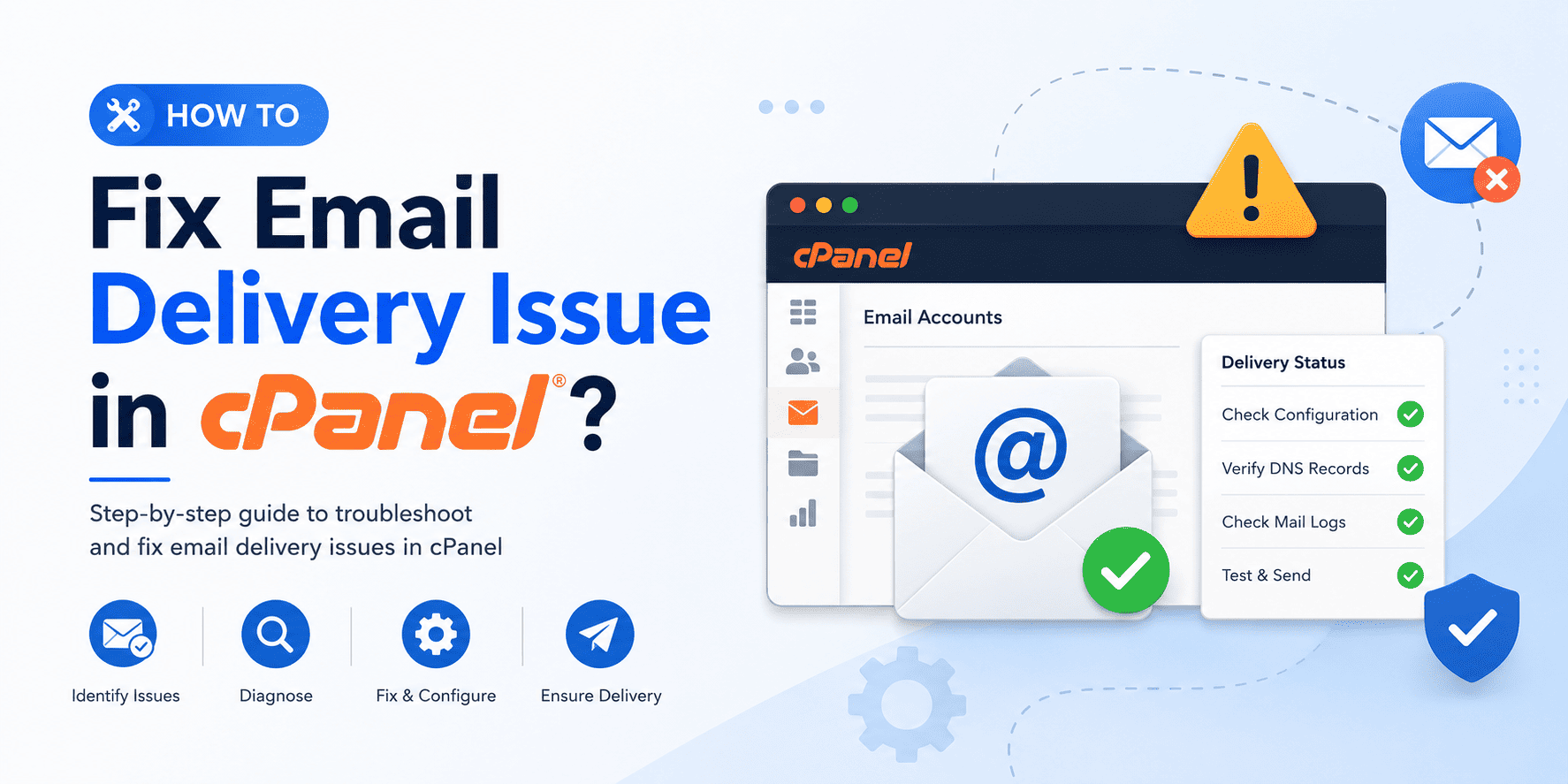
How to fix email delivery issue in cPanel?
1. Open your cPanel, click on Email Deliverability.
1. Open your cPanel, click on Email Deliverability.
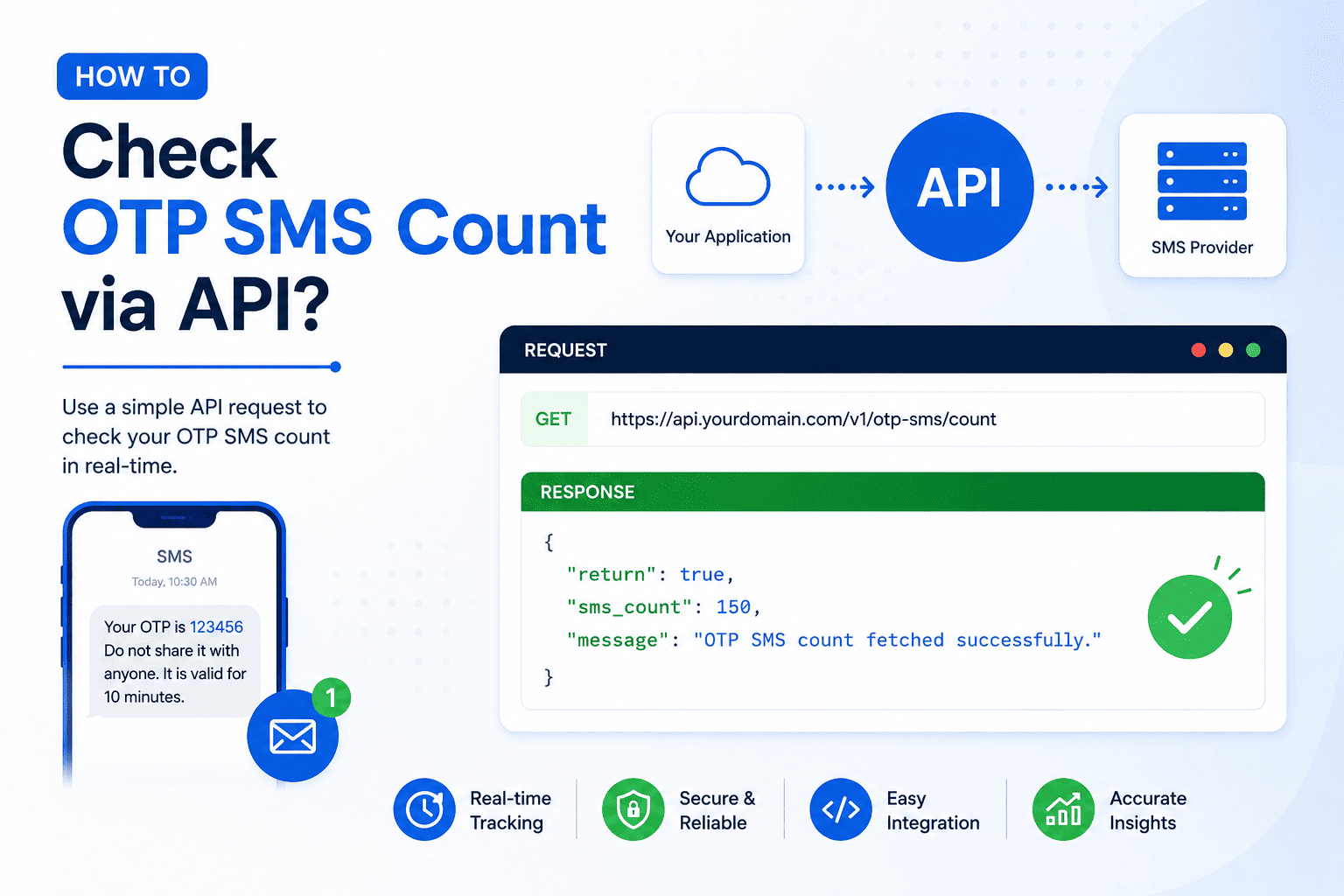
1. If you are using DV Hosting OTP SMS API, you can easily check your available OTP SMS balance using a simple API...

Setting up a chatbot in TG SmartAgent is simple with the drag-and-drop Flow Builder. You can create automated replies...
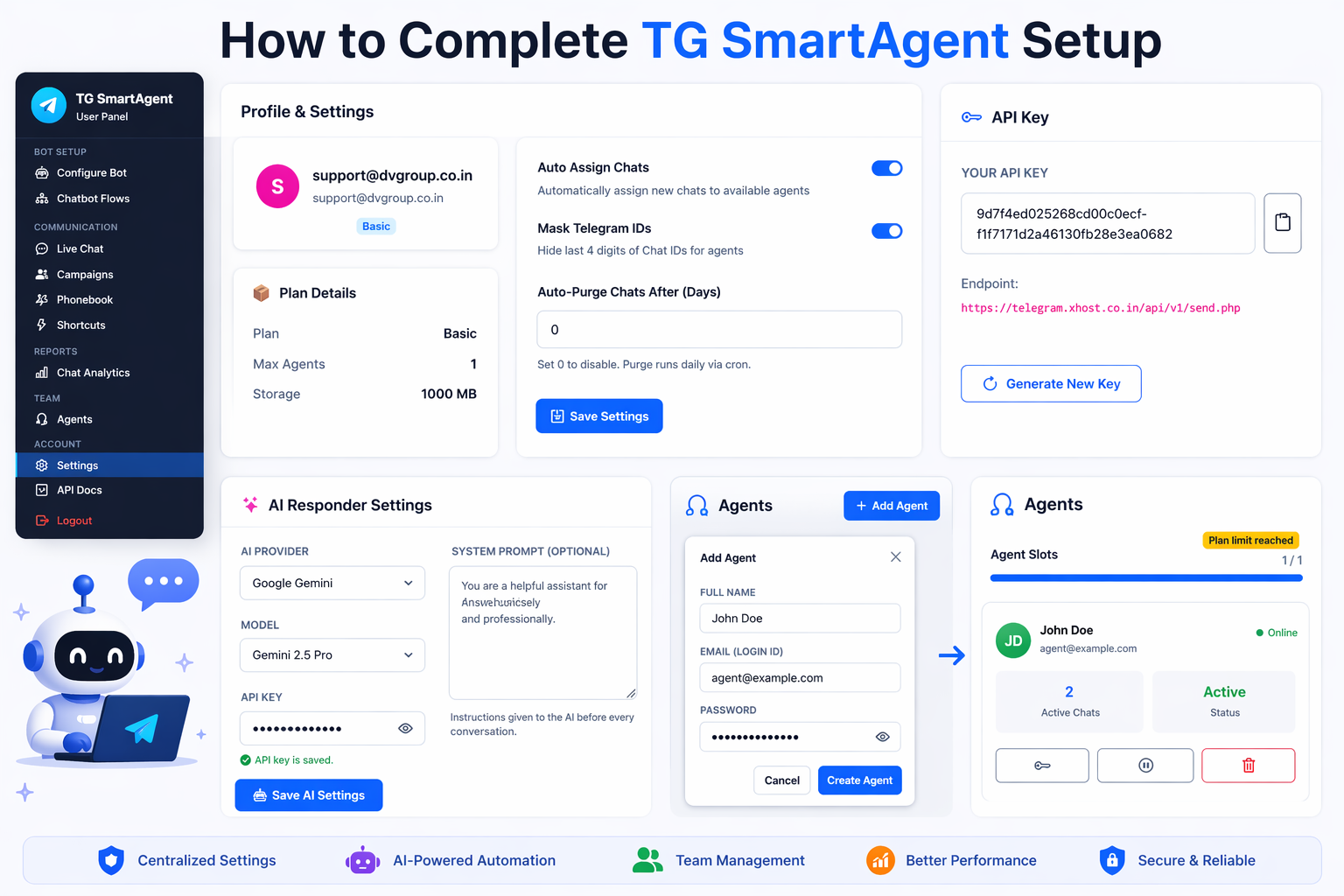
1. Log in to your TG SmartAgent Portal using your account credentials.2. From the left menu, click on Settings.3...
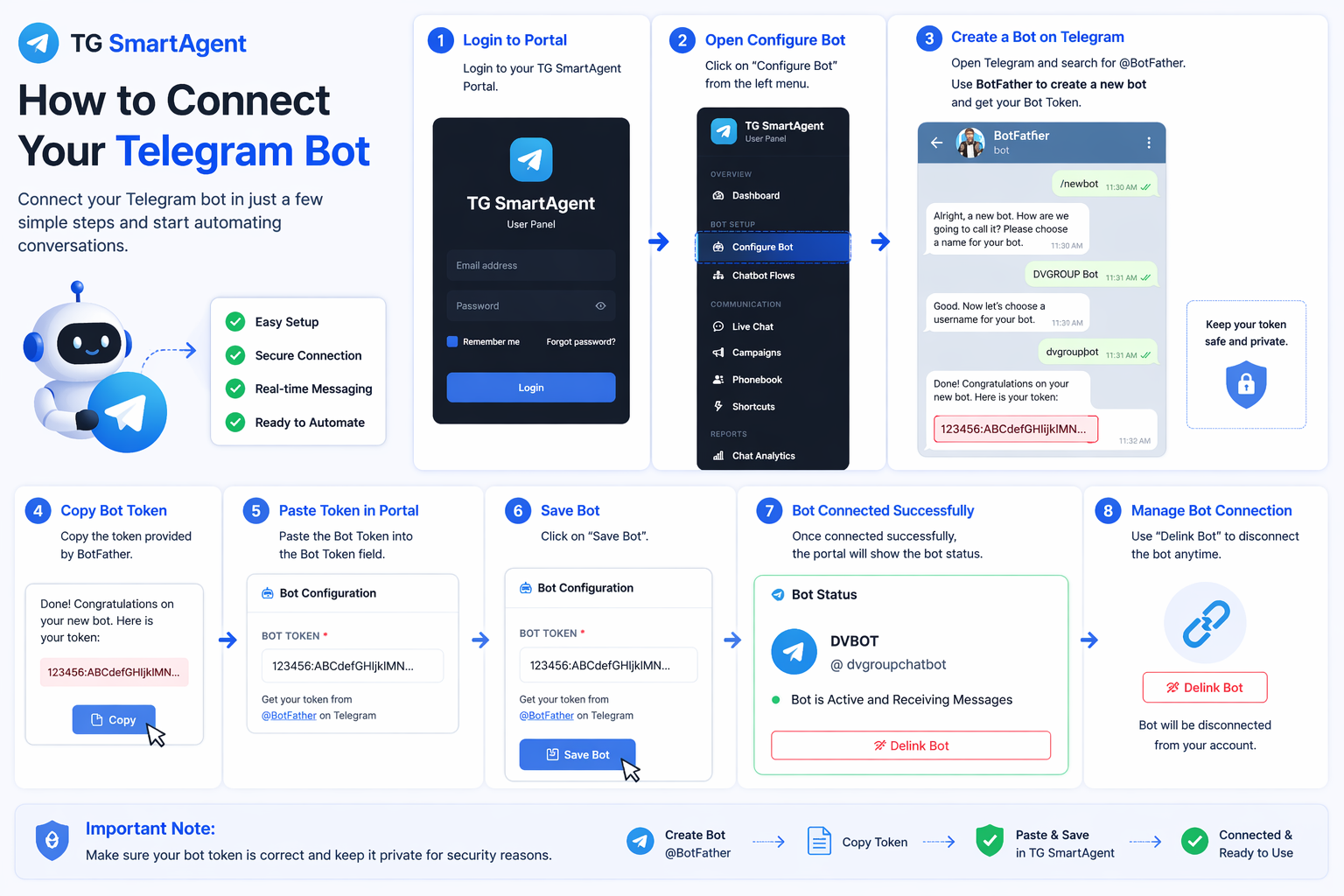
1. Log in to your TG SmartAgent Portal with your account credentials.2. From the left menu, click on Configure Bot.3...
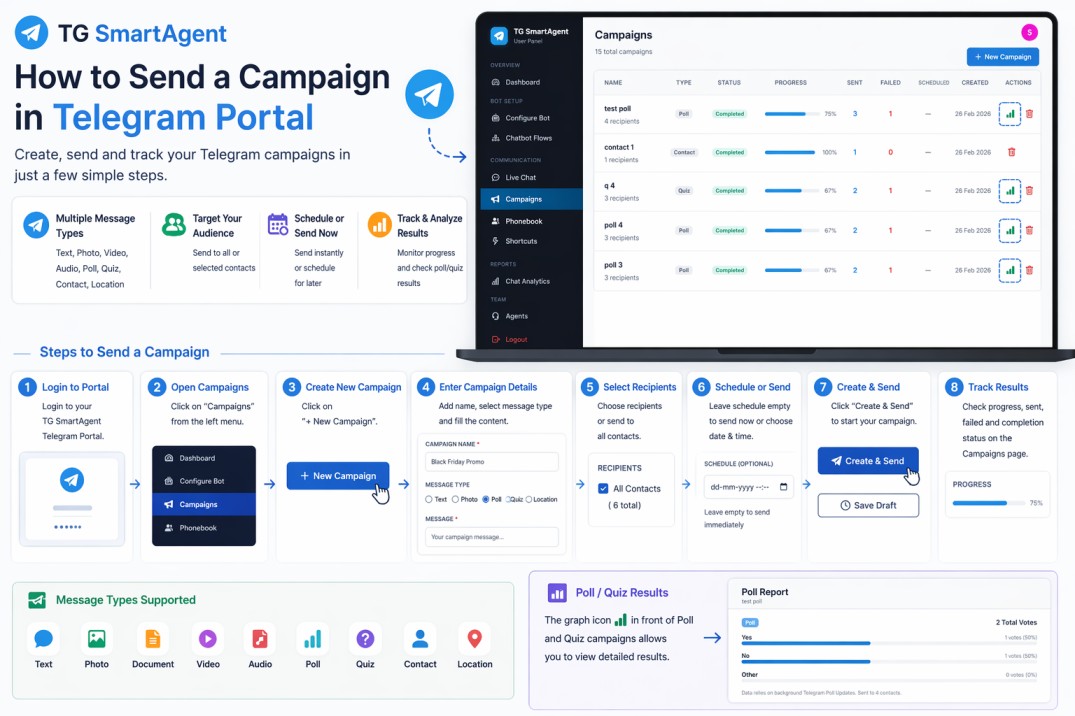
1. Log in to your TG SmartAgent Telegram Portal with your account credentials.2. From the left menu, click on...
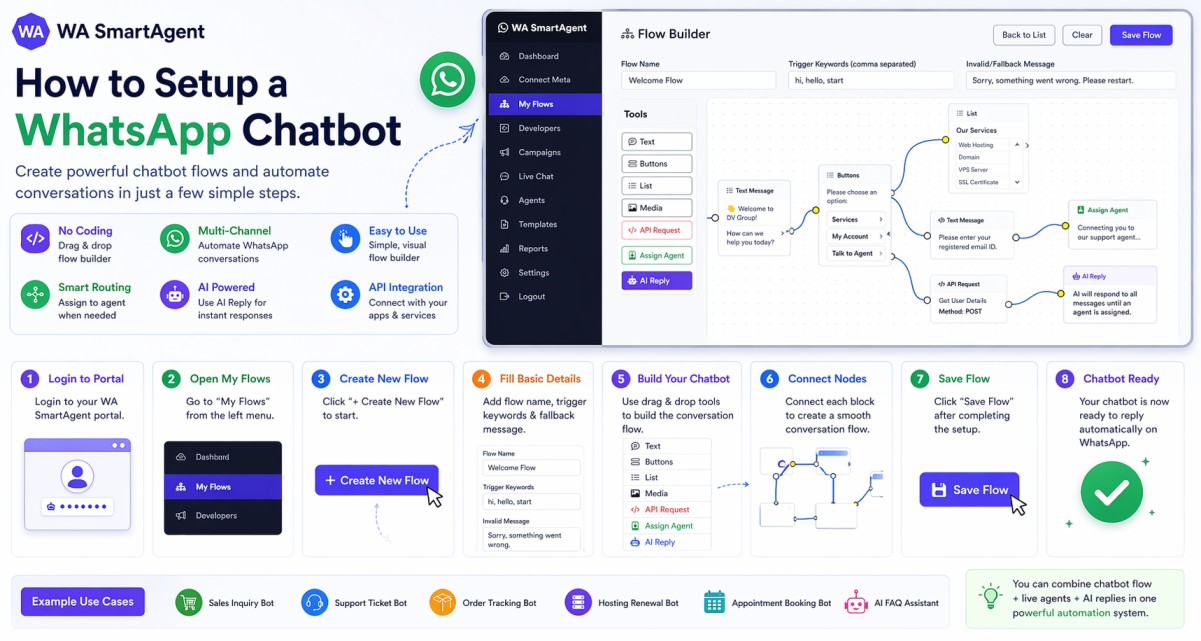
1. Log in to your WA SmartAgent Portal with your account credentials.2. From the left menu, click on My Flows.3. Click...
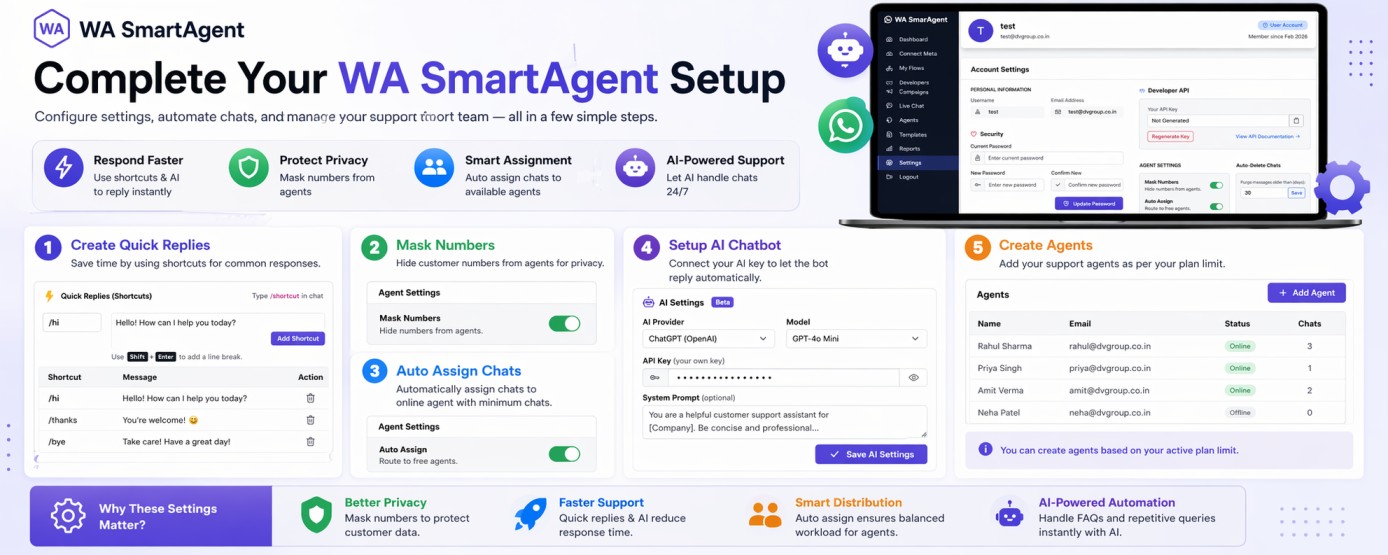
1. Login to your WA SmartAgent Portal and click on Settings from the left menu.2. Use Quick Replies (Shortcuts) to save...
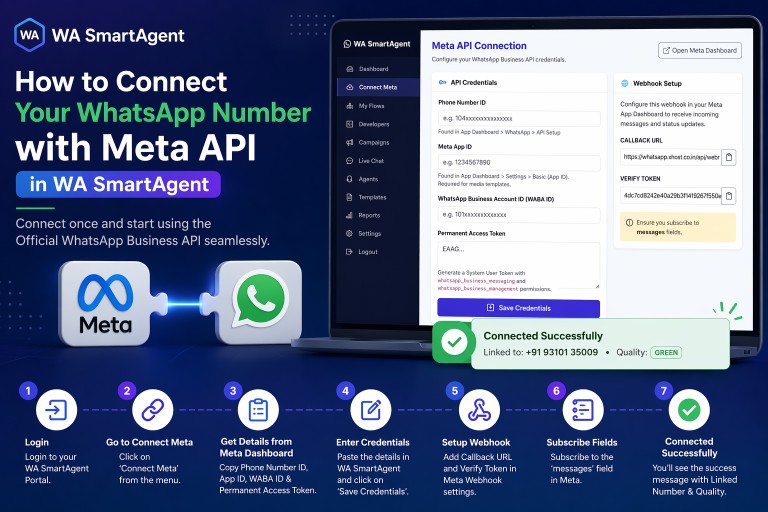
1. Log in to your WA SmartAgent Portal with your account credentials.2. From the left menu, click on Connect Meta.3...
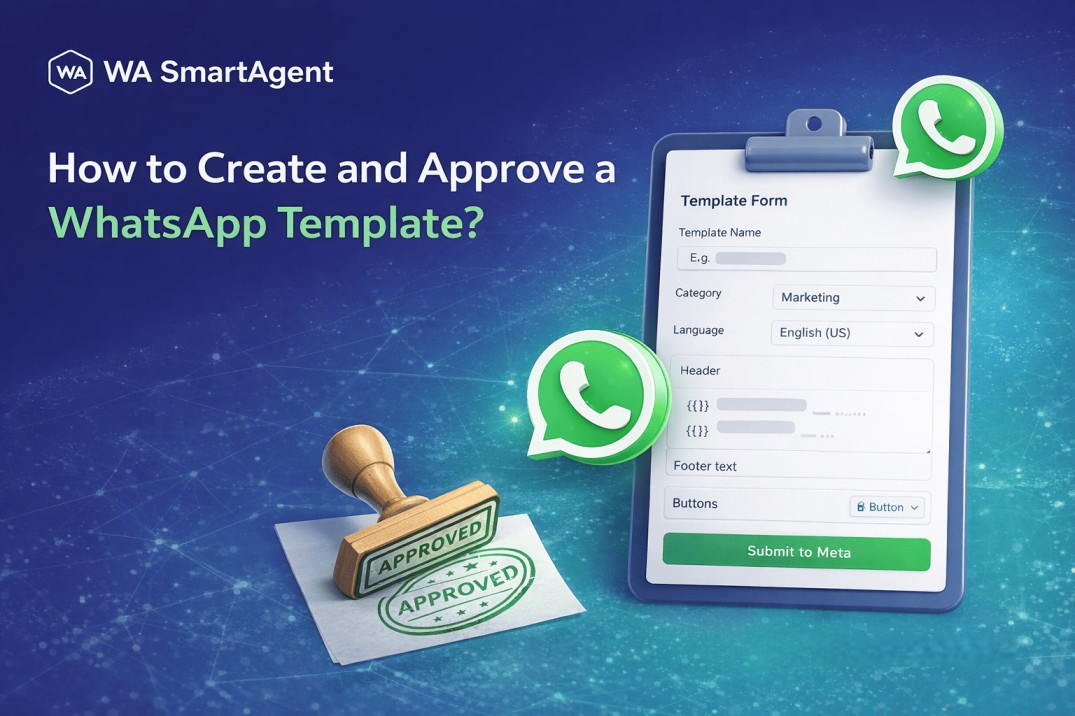
1. Login to your WA SmartAgent Portal using your account credentials.2. From the left-side menu, click on Templates to...
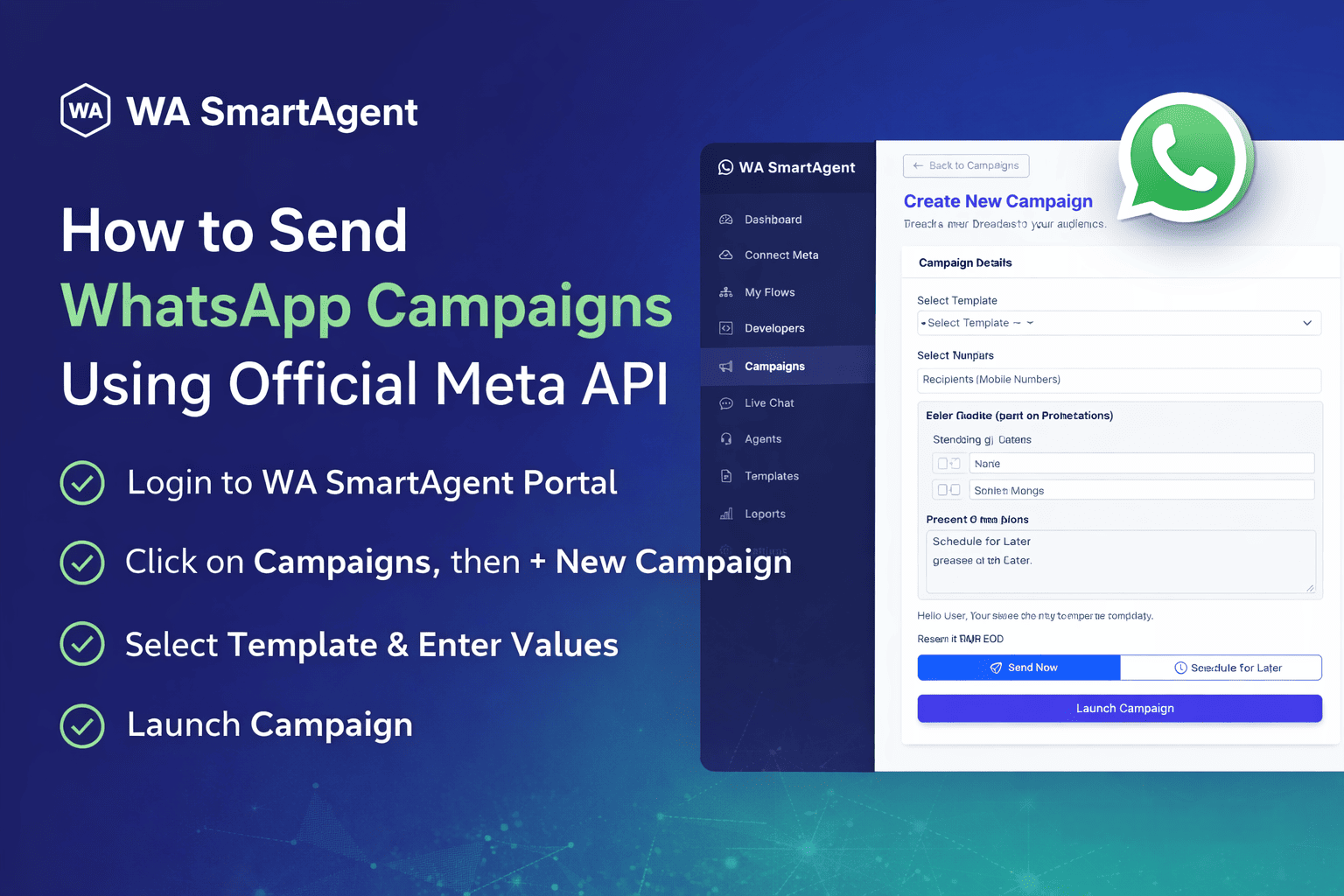
WhatsApp marketing has become one of the most effective ways to connect with customers instantly. With the Official...
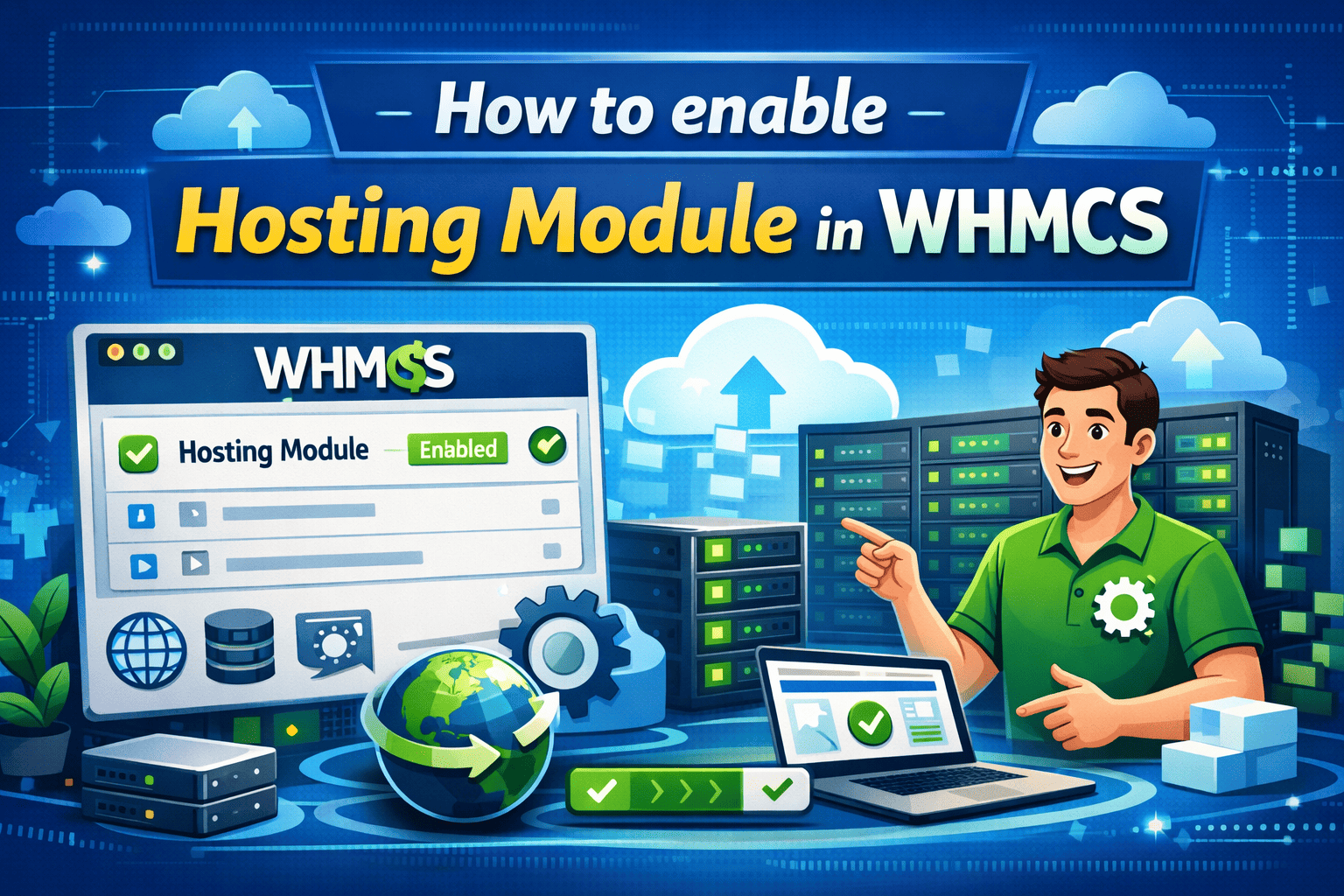
1. Log in to your reseller's admin panel.2. Go to Settings, expand WHMCS Module as shown below. Download the module you...
One short email when we publish something worth your time.